My Role
Smart Access System
A mobile app providing secure and efficient building access. It uses dynamic, temporary QR codes for staff and guests, simplifying access management for companies.



Amy
Empolyee

Mary
Clent

John
Security

Alex
Courier
Technology Comparison
Finding the Right Fit
To select the most suitable technology for the Smart Access System, I compared four leading options. The goal was to find a solution that was secure, user-friendly, and aligned with our MVP strategy of low initial cost and high scalability.
RFID
Fast Scans
Simple tap-and-go user action.
Mature Tech
Reliable and well-understood system.
High Hardware Cost
Requires dedicated RFID readers.
Physical Management
Cards can be lost, stolen, or cloned.
Too Costly
Dependent on proprietary hardware, making it expensive to scale.
Biometric
Peak Security
Unique individual identifiers (fingerprint, face)
Seamless UX
No need for a card or phone.
Prohibitive Cost
Highest initial investment and maintenance
Significant Privacy Concerns
Requires storing sensitive personal data.
Too Complex
High costs and privacy hurdles are unsuitable for an MVP.
NFC
Convenient
Simple tap from a compatible smartphone.
Secure
Supports encryption and is harder to clone than RFID.
Hardware Dependent
Requires NFC readers and user device compatibility.
Higher Cost
More expensive than QR codes to implement.
Not Universally Compatible
Relies on specific hardware for both the system and the user.
QR Codes
Zero Hardware Cost
Works with any smartphone camera.
Instantly Scalable
Easy and free to generate, distribute, and update codes.
Flexible & Secure
Can be made dynamic and temporary to prevent sharing.
Requires User Action
Users must unlock their phone and present the code.
Screen/Print Dependent
Relies on a readable screen or printout.
The Ideal Choice
Offers the best balance of cost, security, and scalability for an MVP, leveraging existing user hardware.
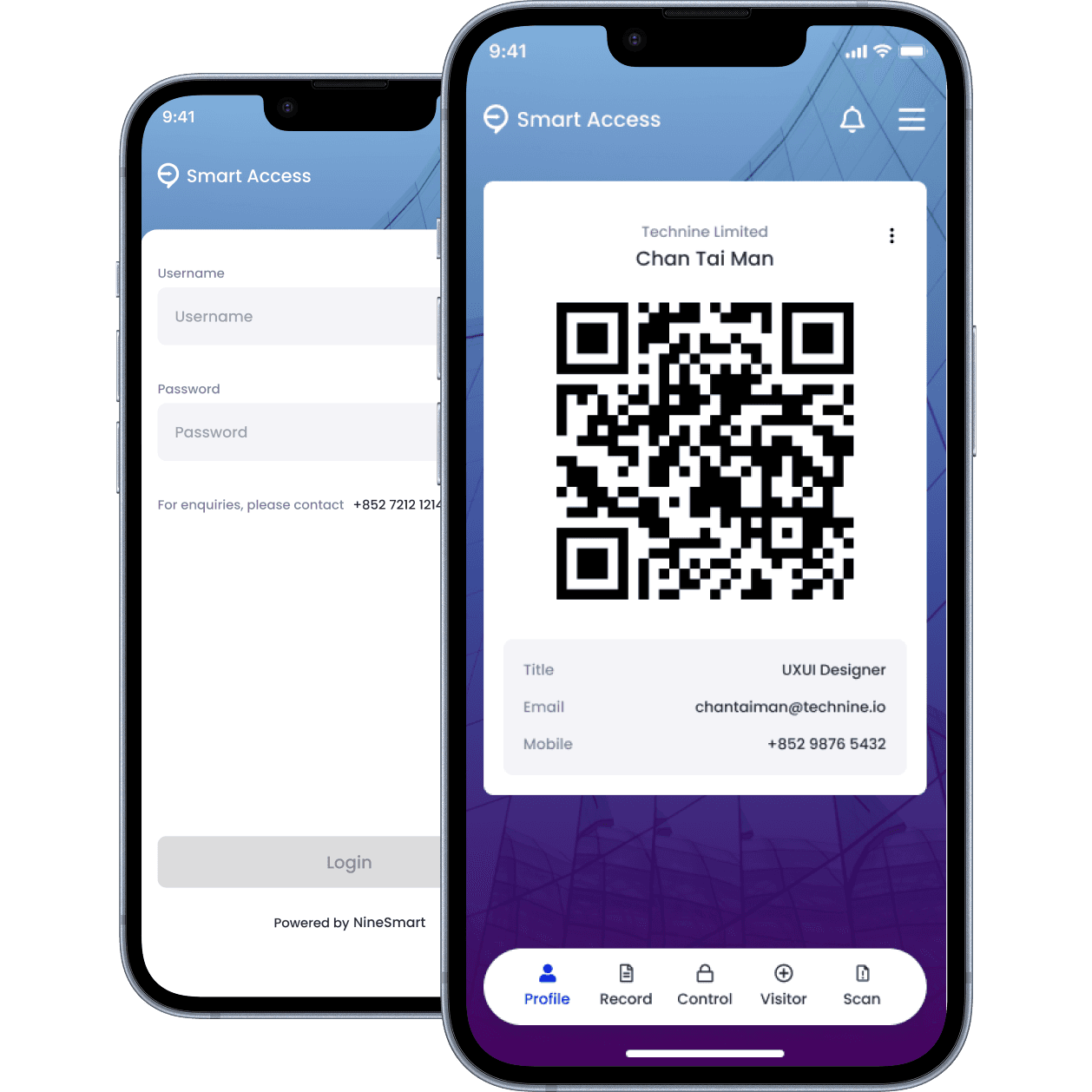
Login
Pers. QR code
One-Time Setup: Users create an account once to generate their unique, personal identity QR code.
Dynamic & Secure: The QR code is dynamic, meaning it refreshes periodically. This prevents misuse from screenshots or copied images, ensuring only the live app scre is valid.
Convenient Access: For seamless daily use, the app keeps users logged in for a 7-day session.
Simple Check-in: Users simply present their in-app QR code to scanners at access points.
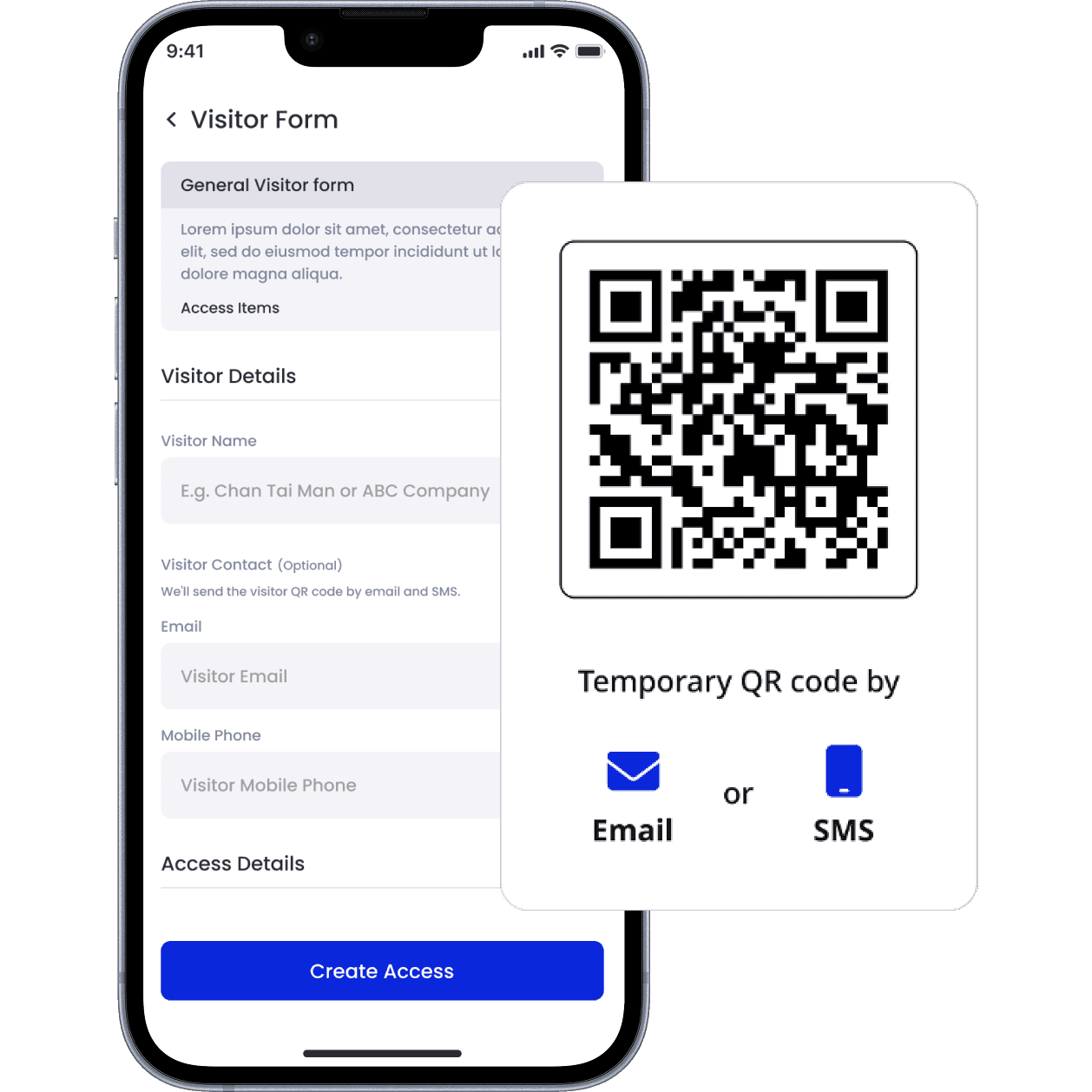
Visitor e-from
Temp. QR code
Effortless Registration: Visitors can pre-register online or sign in upon arrival by completing a simple digital visitor form.
Direct Delivery: Once the form is submitted, a temporary QR code is sent instantly to the guest's email or via SMS.
Permissions-Based Access: The code is time-sensitive and permissions-based. It is programmed to grant access only to specific approved areas and only for a limited duration (e.g., during their scheduled meeting time).
🔍 Competitive Analysis
QR Code Implementations
To understand established patterns in QR code usage, I analyzed three prominent apps. The goal was to identify their core strategies, strengths, and weaknesses to inform the design of the Smart Access System.
Deep Ecosystem Integration
The QR code is the key to a massive, all-in-one platform.
High User Adoption
Ubiquitous in its primary market, making it a standard user behavior.
Significant Privacy Concerns
Data collection and lack of transparency are major issues
Closed Ecosystem
Designed to keep users within the WeChat environment.
High Brand Trust & Global Reach
Leverages a trusted, worldwide payment network.
Simplicity & Focus
Easy to use for its core purpose-sending and receiving money.
Fees for Merchants
Transaction fees can be a barrier to merchant adoption.
Limited Scope
Functionality doesn't extend much beyond basic payments.

Unified Customer Rewards
Simplifies loyalty programs for consumers.
Drives Frequent Engagement:
Encourages repeat business across its partner network.
Limited Geographic Reach
Value is restricted almost entirely to Hong Kong.
Dependent on Partner Quality
The program's appeal is tied to its network of participating brands.
🛠️ From Feedback to Features
Following the MVP launch, we established a feedback loop to guide the next development cycle. We collected qualitative data from all key user groups-including admins, reception staff, employees, and security personnel-to understand real-world pain points and opportunities.
This feedback was then synthesized into actionable feature requests. To prioritize development, we used the RICE scoring framework (Reach, Impact, Confidence, Effort), ensuring we focused on initiatives that would deliver the most value to users and align with our project goals.
Turn feedbacks into actionable items
"How do I handle walk-ins, like a last-minute contractor who needs access? Do they have to go through the full registration?"
Admin
Develop a "Quick Grant" feature for admins to issue instant, temporary access passes for unscheduled but authorized personnel.
"I want a page showing my check-in history. A summary of my attendance and available annual leave would be helpful too."
Employee
Create a personal "My Activity" dashboard for employees to view their access logs and integrate with HR data like leave balances.
"Can we automate the check-in process? It would free me up to focus on guests who need more personal assistance."
Reception
Explore passive check-in solutions, such as geofencing or hands-free Bluetooth, to streamline the process for regular staff.
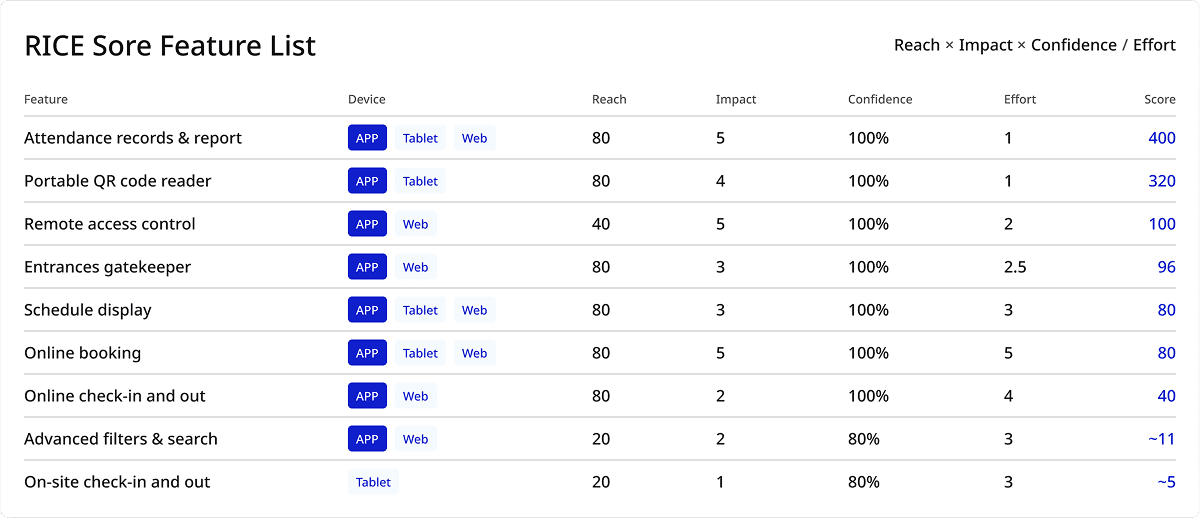
Strategic Focus for the Next Iteration
Based on the prioritized feedback, we defined three key focuses for the upcoming design and development sprint:
Granular Access Control
Empowering admins with more flexible tools for daily operational needs.
Employee Self-Service
Providing staff with a user-friendly dashboard for their access records and attendance data.
Operational Automation
Streamlining routine check-in tasks to reduce the manual workload for front-desk staff.
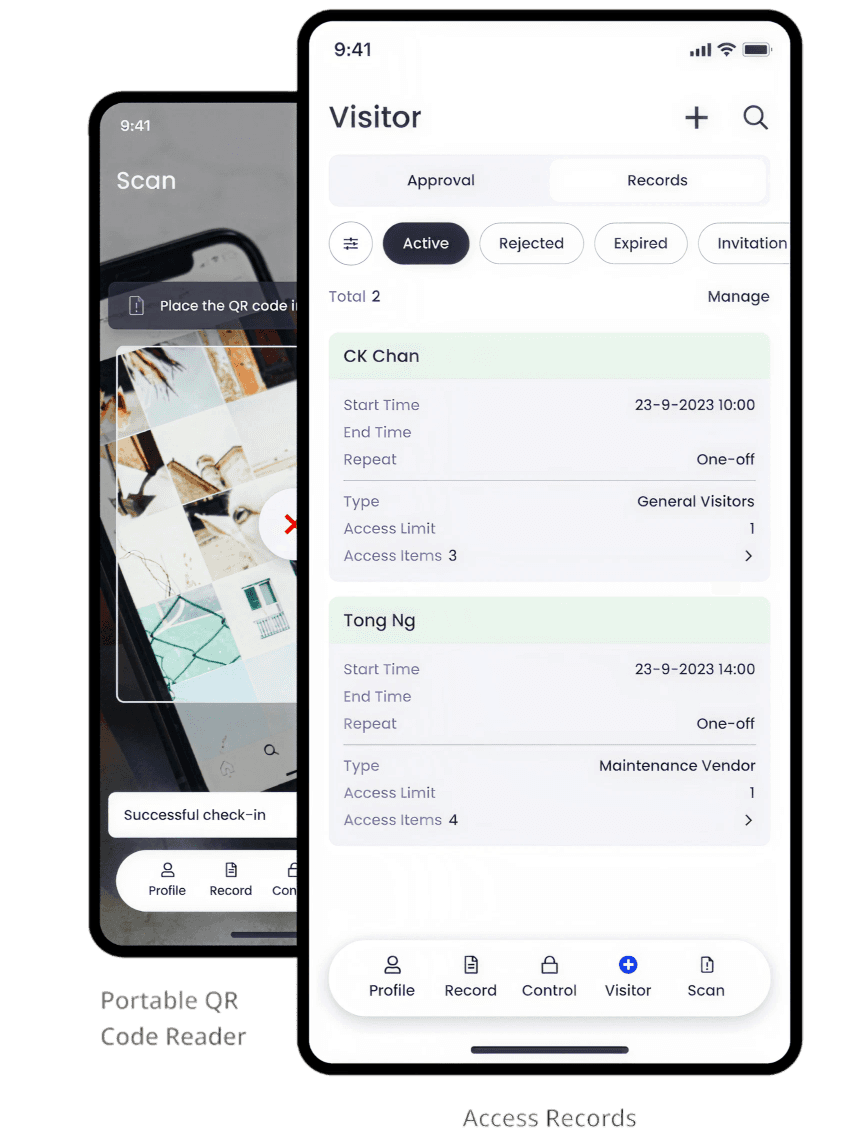
A. Software-Based Scanner
READER MODE
LEVEL 1
Free Access
No need QR Code
LEVEL 2
Standard Access
Requires a valid QR code.
LEVEL 3
Appointment Access
Requires a QR code linked to a scheduled appointment.
LEVEL 4
Restricted
Grants access only to specifically named individuals.
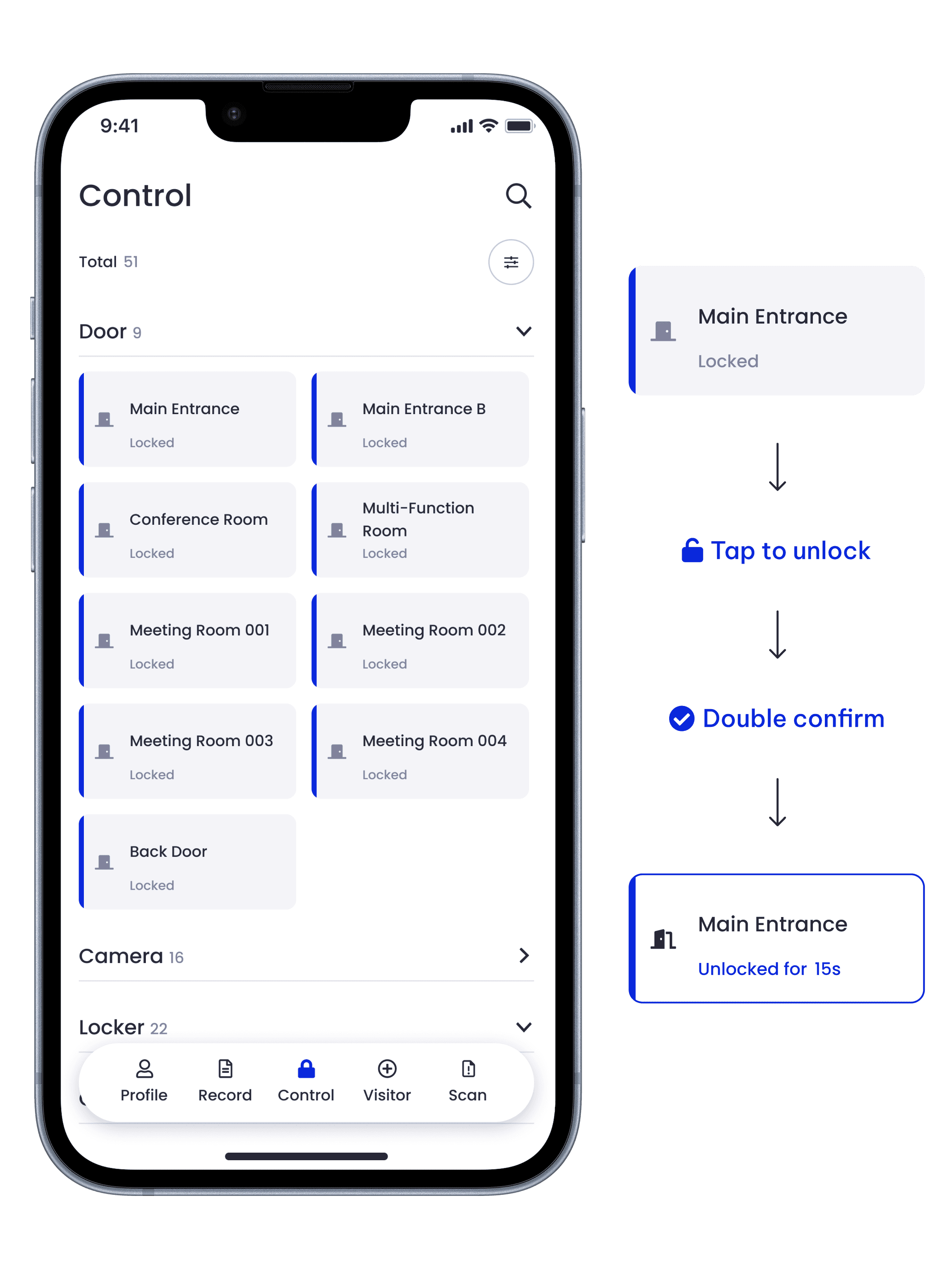
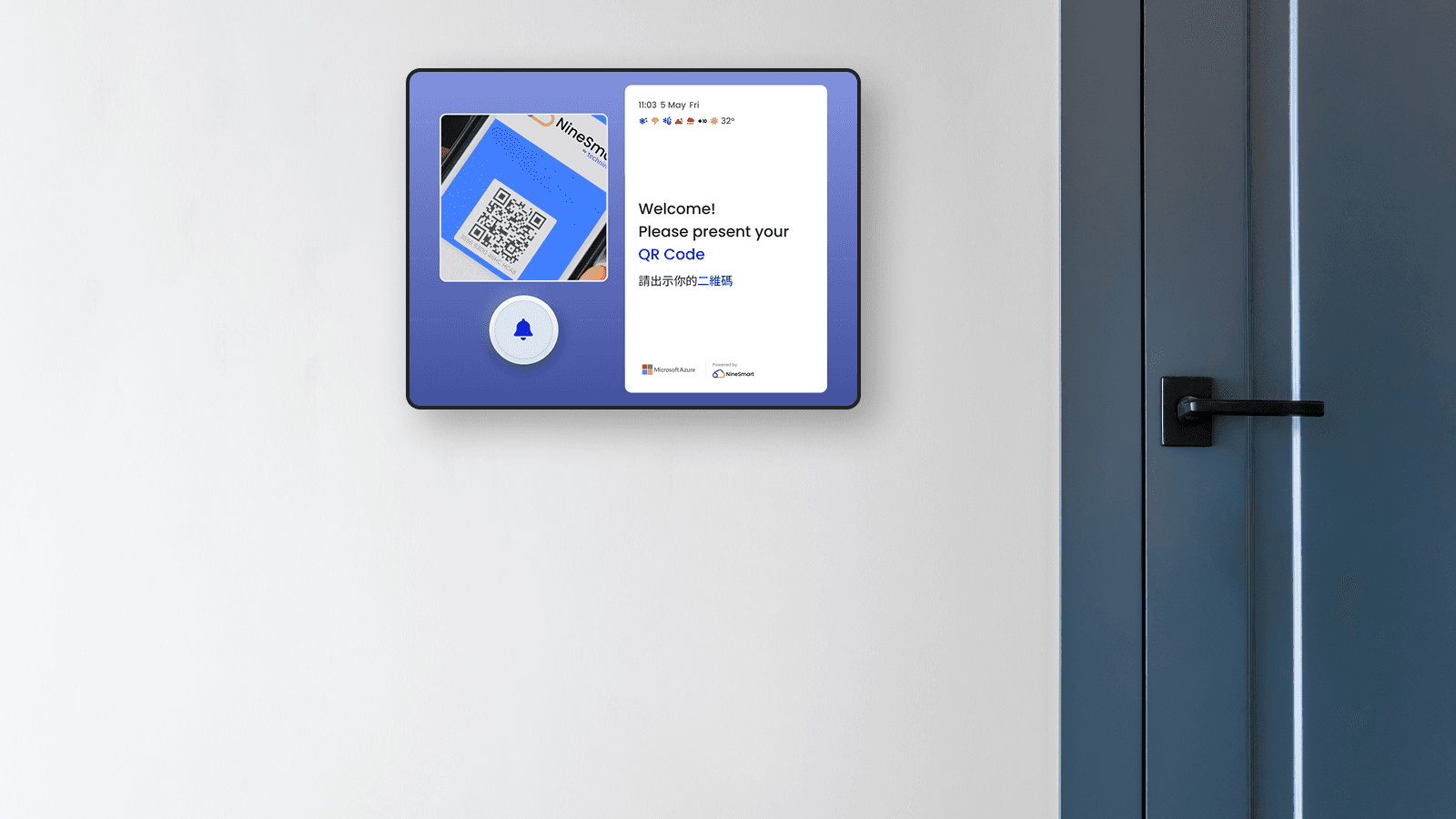
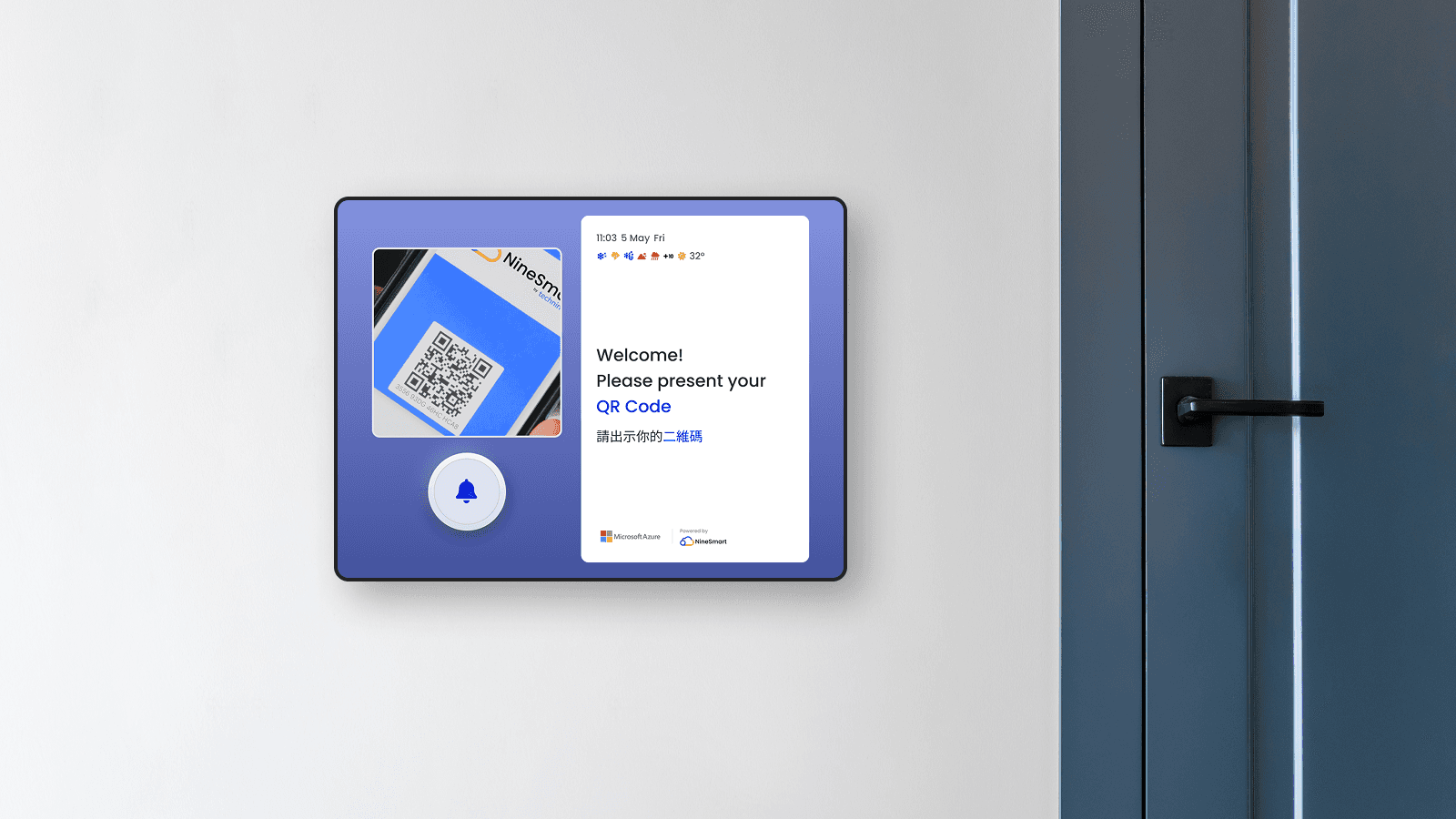
D. Add-On: The Smart Display Kiosk
To create a fully automated front-desk experience, we designed an optional hardware add-on. The Smart Display is a tablet-based kiosk at the entrance that serves as the followings:
Video intercom and smart doorbell.
Self-service terminal for visitor registration.
Check-in point for scheduled appointments.
💯 The Impact
The project was a success, delivering not only a market-ready product but also a significant, measurable impact on the business and its clients.
77.5% Up
Up in Client
Satisfaction Scores.
-50%
in ongoing System
Maintenance Costs.